Hardware & AI · 2026
Kaiboard
A hardware keyboard built for one job. Prompting AI.
- Status
- Prototyping
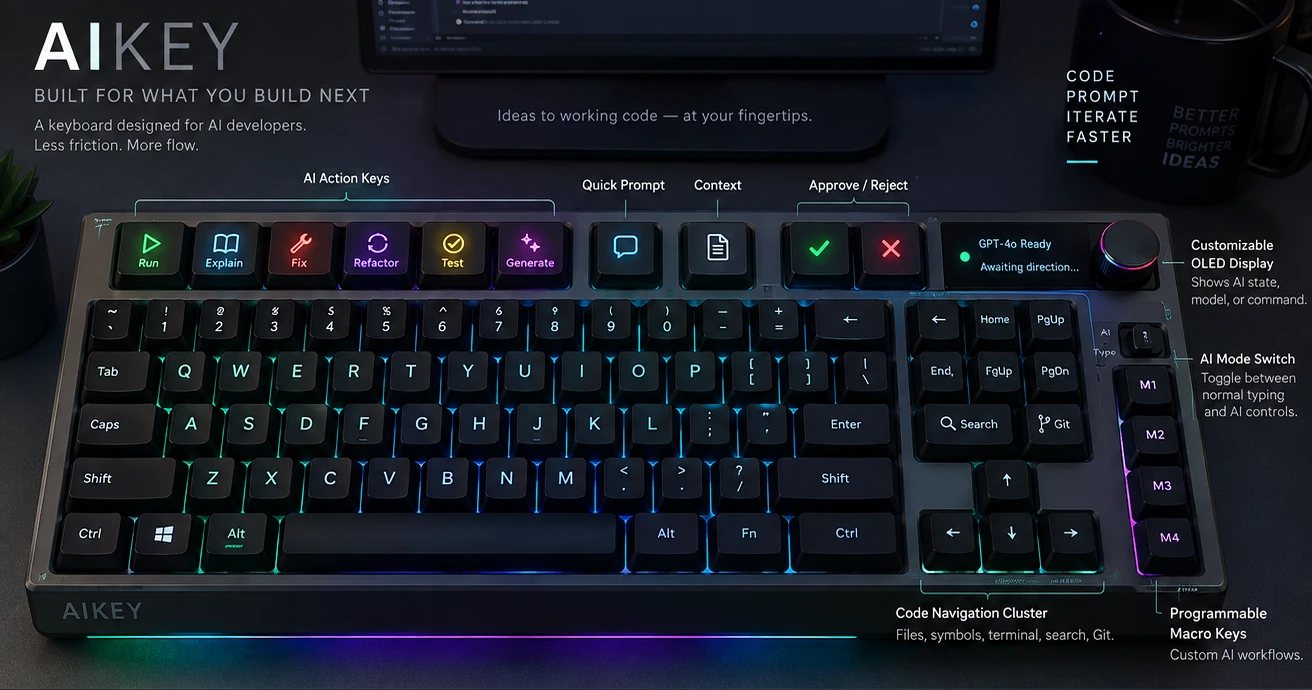
A normal keyboard was designed for typing letters. Prompting is a different job. So what would the keys be if you started from scratch?
Here’s my problem. When I’m building with AI, things happen in windows I’m not looking at. A notification slips by, and something sits there waiting for me.
I’m a keyboard hobbyist. So of course the answer was a keyboard.
I built the software first, then the hardware around it. A custom PCB, mechanical switches, off-the-shelf parts and extended open-source firmware. Custom software hooks it up to ChatGPT, Claude and GitHub Copilot.
And the keys? Allow. Deny. Change Agent. Change Model. One press each.
The keys were the easy part. The hard part was everything behind them: getting the software to authenticate with AI services, and handling session tokens securely.
It’s a prototype. A few colleagues and keyboard people online have given feedback, and one practical note came back: battery life.
Next: let people customise the software themselves, talk to manufacturers in China, and find out if Kaiboard could be a crowdfunded product.
Problem
When I'm building with AI, notifications get missed and windows disappear behind other apps. A normal keyboard gives me almost no feedback, and very little control.
Research
I'm a keyboard hobbyist, so I started with one question: what would a keyboard built for AI work look like? My hunch was that there's a gap for hardware made for the way we work now.
Prototype
Software first, then the keyboard around it. A custom PCB, off-the-shelf parts, and dedicated keys for Allow, Deny, Change Agent and Change Model.
In people’s hands
A few colleagues and keyboard enthusiasts online have given feedback. One practical note came back: battery life.
What happened
Connecting AI services turned out to be harder than adding a few shortcuts. API authentication and sharing session tokens securely were the real fights.
What’s next
Let people customise the software themselves. Talk to manufacturers in China. And find out if crowdfunding makes sense.
How it was designed
The Double Diamond, in the order it actually happened. Real projects loop back, and this one did too.
- Discover
Started from my own friction: missed notifications and AI tools hiding behind other windows.
- Define
Reframed the question. Not a better keyboard, but: what would a keyboard designed for AI workflows look like?
- Develop
Built the software first. The keyboard would come after.
- Define
Narrowed the controls to four dedicated actions: Allow, Deny, Change Agent and Change Model.
- Develop
Built the hardware around the software, with a custom PCB, off-the-shelf parts and extended open-source firmware.
- Deliver
Put the prototype in front of colleagues and keyboard enthusiasts online.
- Discover
Their feedback reopened research: battery life first, then customisation, manufacturing and whether crowdfunding makes sense.
UX practices
- Visibility of system statusThe starting problem was invisible state, an AI tool waiting in a window you can't see.
- Recognition over recallThe most common decisions each get a labelled key, so there's no shortcut to remember.
- Test with real users earlyFeedback from colleagues and enthusiasts found the battery problem before any production run.
Service design
- Design the backstage tooThe keys are the touchpoint. Authentication, session tokens and the AI services behind them are what make it work.
- Trust is part of the experienceHandling session tokens securely isn't just plumbing. People need to trust a keyboard that's connected to their AI accounts.